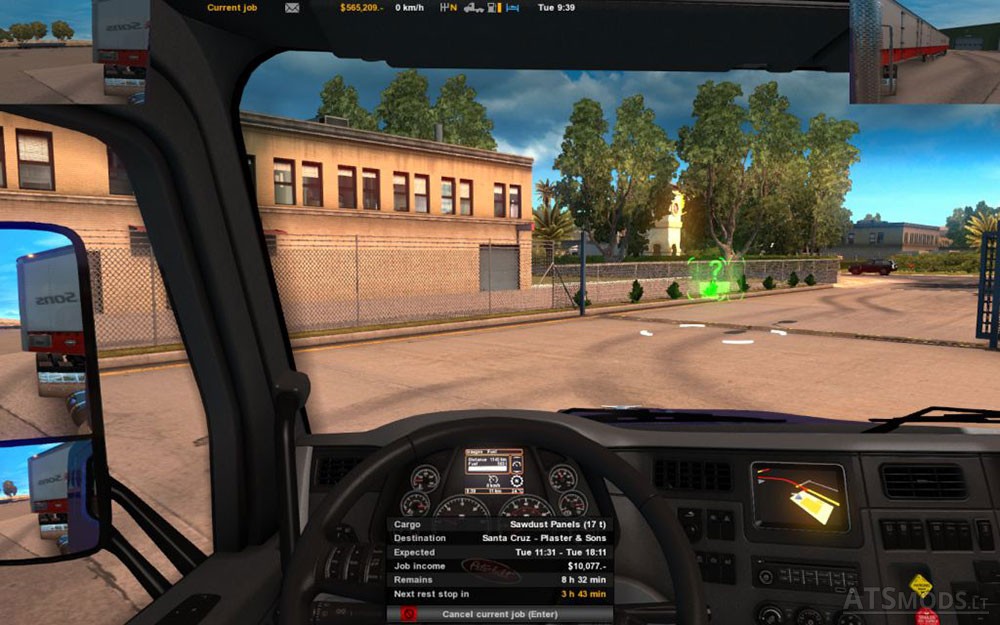

Two options Route advisor:
Option 1:
Familiar to many more with older versions of ETS version Route Advisor. Location – right at the bottom. Background – Transparent.
F5 – all information, except for maps
F6 – cargo information
F7 – Damage Information
F8 – Posts
Weight indicators appear at the time of arrival at the weighing station in the middle of the top and disappear at the exit from it.
Option 2:
For lovers of extreme form of minimalism. Location right on top. Background transparent.
F5 – blank screen
F6 – cargo information
F7 – Damage Information
F8 – Posts
Weight indicators appear at the time of arrival at the weighing station in the middle of the top and disappear at the exit from it.
Test version: 1.1.1.3s
Credits:
Тимур
DOWNLOAD 37 KB (Option 1)
DOWNLOAD 37 KB (Option 2)
Hi there a small map would be good on opt2,can someone please commbine track ir5 with roof view for those of us who want it please i think it would be great as i use roof view quite a bit thank you..
I like the mod but it came with 110,599,890$ not sure an this only mod i put in my game…
for me when i use option one, f5 mode the ETA and money i own overlap, its very annoying please fix
Nice, thank you